Portrait + software keyboard
Default phone mode. The on-screen keyboard can occupy the lower third while the upper two-thirds remain useful for messages, Operator, browsing, and forms.
3DVR Phone Dock · Nomad Clip evolution
A universal cradle, dock, keyboard, input, and wearable system built around the phone you already own. The phone stays the screen, camera, sensors, cellular link, and compute node. 3DVR adds the ergonomics, physical controls, quick-release mounting, docking, and expansion around it.
Portrait + software keyboard: natural phone use with useful workspace above the lower-third keyboard.
Core interaction
3DVR should not force one screen orientation. The holder rotates 90° without removing the phone, while the controls and grip remain usable.
Default phone mode. The on-screen keyboard can occupy the lower third while the upper two-thirds remain useful for messages, Operator, browsing, and forms.
Once real keys are available, the screen no longer needs to reserve a lower third. Landscape becomes a tiny workstation with the full display available for the actual task.
Game, camera, Pocket Window, remote desktop, spatial computing, and media modes can prioritize thumb controls, shoulder buttons, trackpoint, trackball, or sticks.
Input system
Start mechanical, then add only the controls that prove useful. The phone remains replaceable; the dock becomes a long-lived input and expansion platform.
Split keyboard halves can live beside the phone, fold behind it, slide underneath it, or detach for desk use.
A precise pointer makes remote desktop, code, web apps, and desktop UI possible without reaching across the screen.
Optional gamepad-style inputs also work for camera movement, spatial navigation, scrolling, media, and 3DVR worlds.
Charging, audio, storage, keyboard, Ethernet, display-out, and future compute modules all converge through one replaceable dock layer.
Modes
The same phone and cradle should move through the day with you instead of making you carry a different device for every posture.
Wearable system
The key hardware is not the belt clip or the headset by itself. It is a shared 3DVR mounting interface: magnetic alignment for fast docking, a mechanical safety catch for real-world movement, and rotation so the phone can move between belt, chest, head, desk, keyboard, tripod, bike, and future mounts.
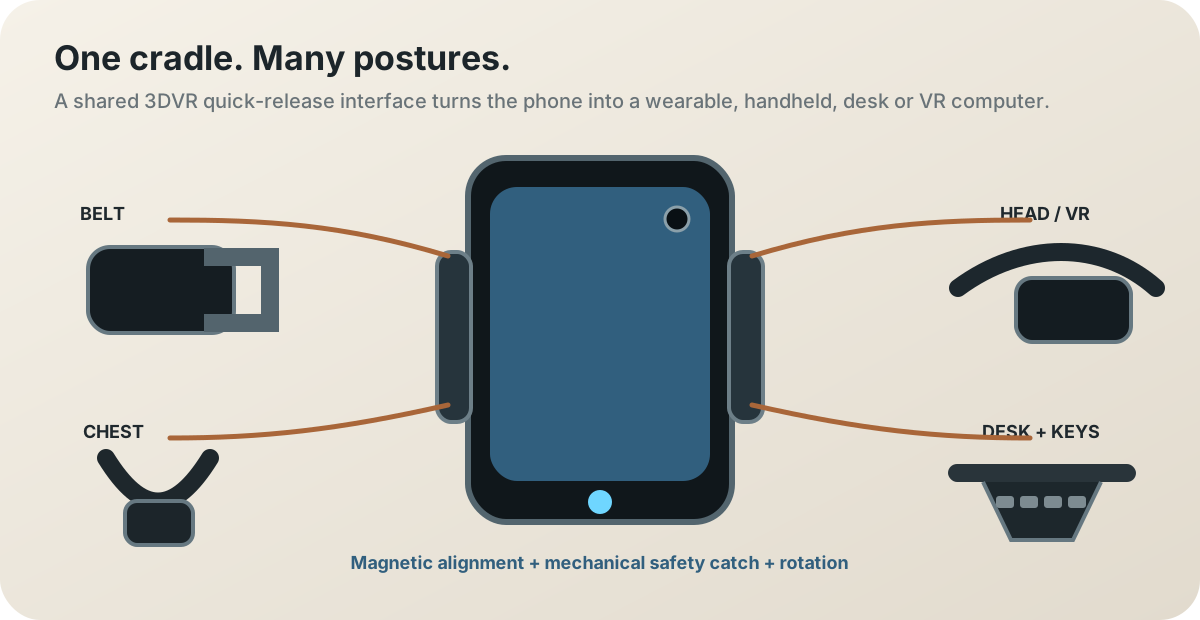
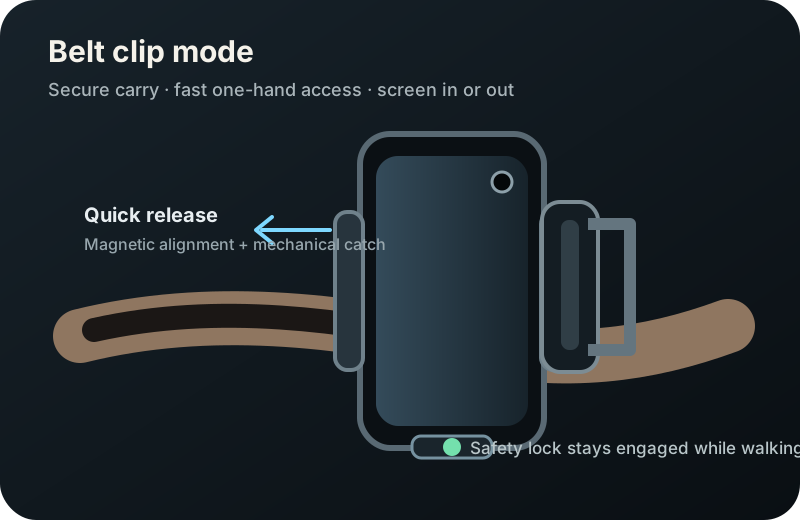
Low-profile, secure, reversible screen direction, with a tactile release you can operate one-handed.
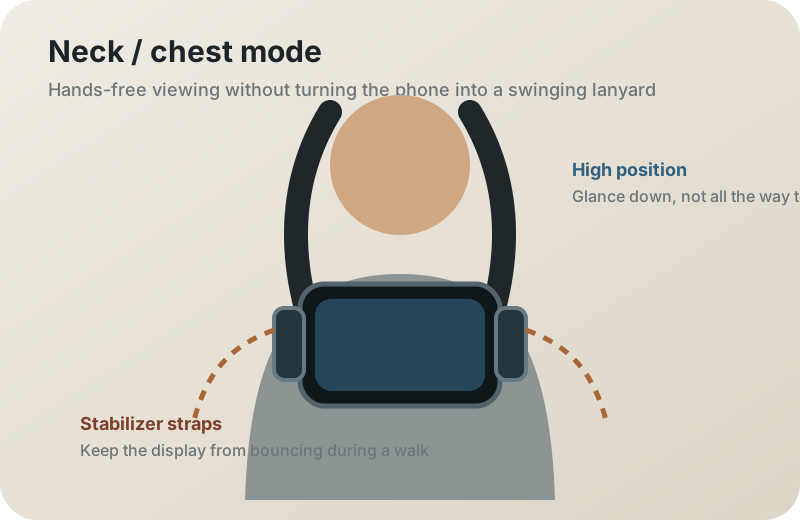
Keep the screen high enough to glance at, then use a second stabilizer point so it does not swing like a normal lanyard.
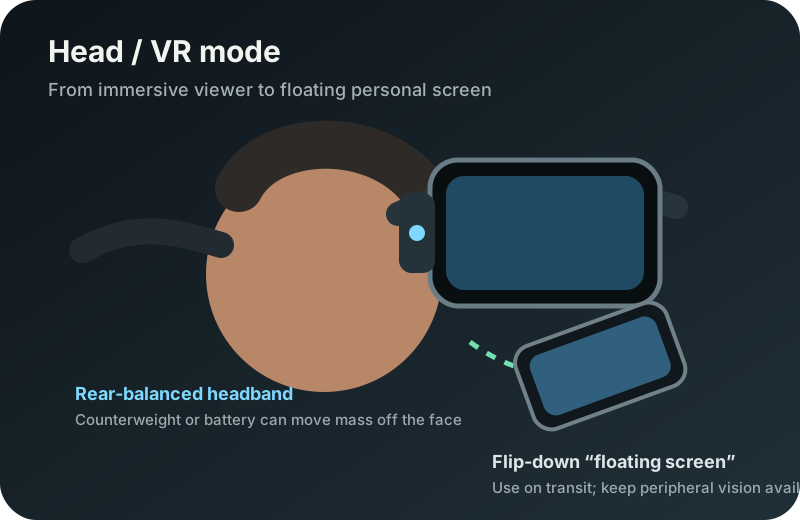
A balanced headband can move from full VR to a flip-down personal screen. Battery or counterweight can shift mass away from the face.
Prototype v0
The first useful version does not need custom electronics. It needs to prove rotation, grip, phone compatibility, balance, quick release, retention, keyboard position, and the transitions between handheld, belt, chest, head, and desk use.
3DVR Open Phone
We do not need to manufacture a smartphone on day one. The dock becomes a bridge from the phone you already own to a fully open personal computer: useful at every stage, increasingly repairable, and progressively less dependent on closed hardware.
Prototype 0
No custom PCB yet. Prove the physical system and the phone-to-Linux relationship with commodity hardware first.
Foundation
The older grip, stand, tripod, extender, lap, strap, and AR-glasses ideas are not discarded. They become mounting modes for the larger Phone Dock system.
Build path
Test portrait-to-landscape rotation, hand spacing, center of gravity, and whether controls should sit beside or below the phone.
Prototype the actual interface once, then build simple belt, chest, desk, and head adapters around that same geometry.
Measure bounce, neck load, head balance, one-hand removal, safety retention, flip-up speed, and comfort during a real walk or transit ride.
Integrate a small Bluetooth/USB keyboard and trackpoint, trackball, or thumb pointer before designing custom PCBs.
Standardize swappable keyboard, gamepad, trackpad, macro, battery, storage, and compute modules.
Publish printable parts, dimensions, electronics, firmware, and lessons learned so the dock can outlive any single phone.